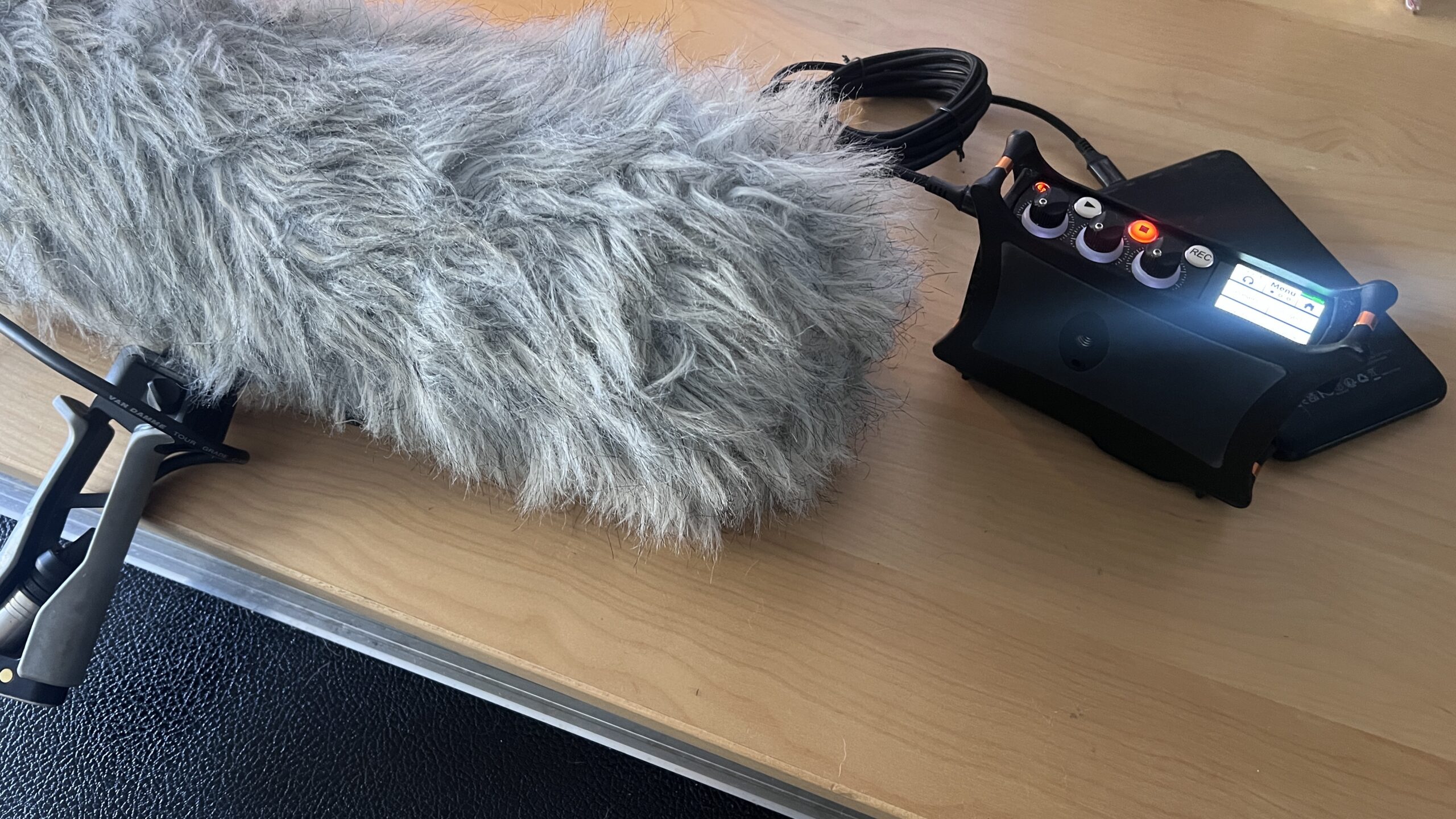
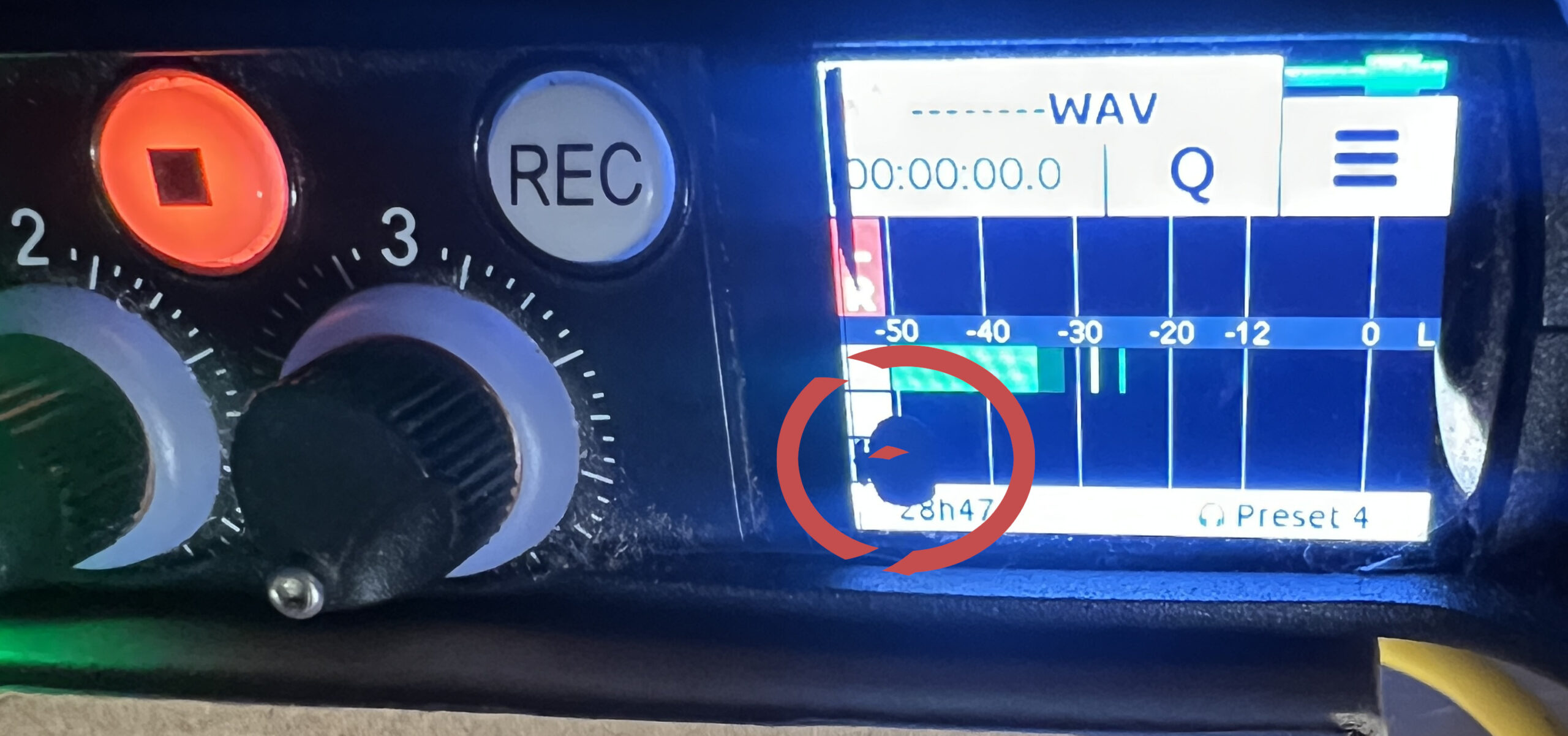
I have been struggling with blotches appearing on my Sound Devices MixPre-3 audio recorder screen – making it very difficult to see the gain dial. I have looked into sending it back to Sound Devices but I found the process pretty confusing and expensive.
Luckily I came across SG Audio Labs in Flitwick, UK and Simon fixed it quickly and affordably with a new touch screen.
SG Audio Labs: simon@sgal.co.uk 07386 264700
It’s a small unit but records a great sound and has very good HP amplifiers In the picture: the MixPre-3 (v1) and a Audio Technica stereo BP4025 microphone wrapped up in a Rode Blimp II
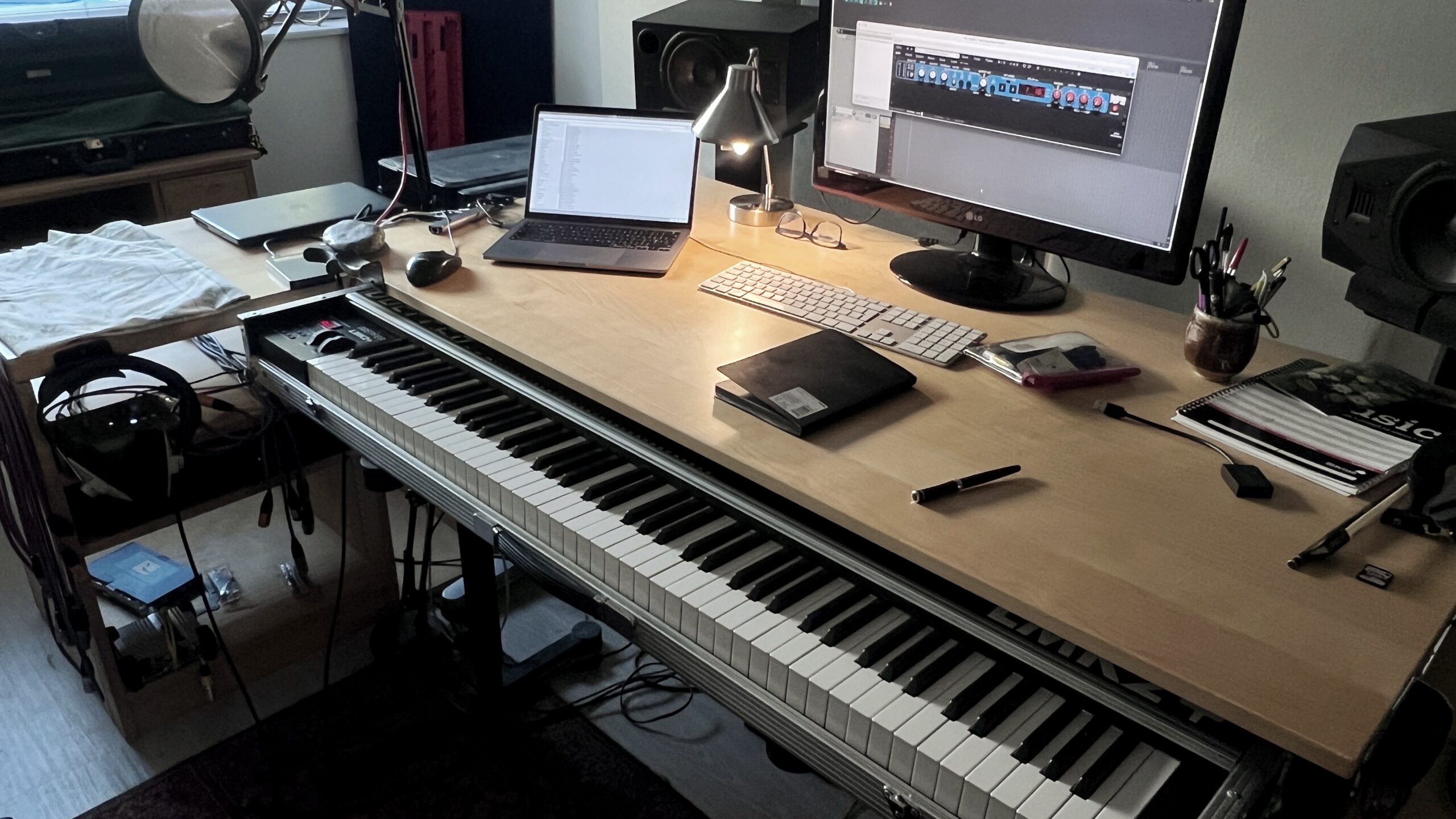
My Doepfer LMK2+ keyboard is back in the studio – certainly is nice to be writing and recording with this beauty again. 🎹 Much of my composition work is piano based so having to play a 61 noter with no weighted action was not ideal.
Thanks to Rob @ Audio Circus for the fast effiecient repair,
What’s the one piece of studio or office gear you simply can’t run your daily work routine without?
My Sound Devices MixPre-3 screen has developed blotches and may need an expensive replacement — not what I would expect from a premium, high-priced product.
The recorder itself is well respected, and for good reason: excellent sound quality, strong analogue limiters, and solid overall performance. However, I’ve always found the menu system rather fiddly, and setting up simple tasks can feel more complicated than it should be. That may just be my ageing brain talking, but it has never felt especially intuitive to me.
The headphone volume control, which also doubles as the input gain adjustment, is particularly frustrating to use. The power switch is similarly awkward.
I’m now looking forward to trying the new Tascam DR-40XP when it arrives in the UK — I already have one on order. With 32-bit float recording now available, the appeal of the MixPre-3’s analogue limiters begins to fade.
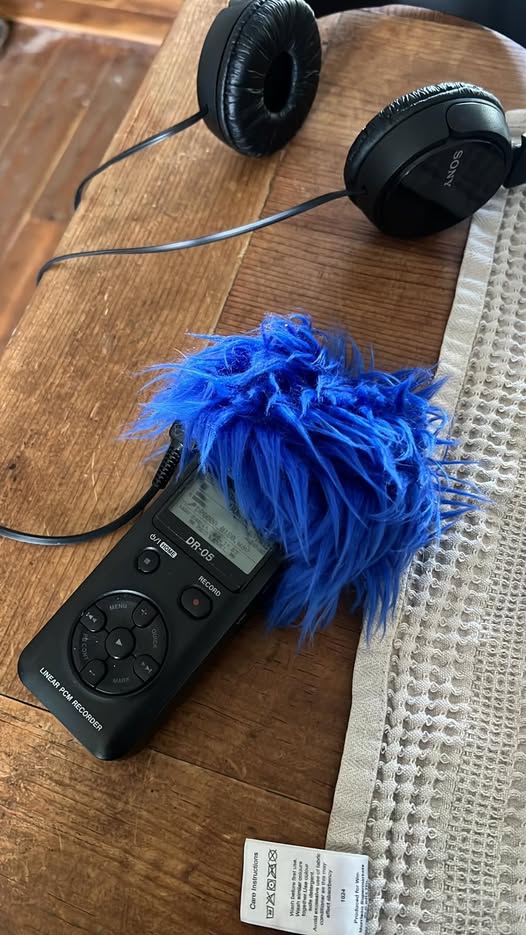
I put my old little Tascam DR-05 audio recorder to a new use this afternoon.
My dad has quite advanced Alzheimer’s, along with significant hearing loss. Without hearing aids, it’s almost impossible to have a proper conversation — we’re mostly relying on facial expressions and raised voices.
The challenge with hearing aids, despite the claims and high prices from providers like Specsavers, is that they tend to amplify everything in the environment. That often means more background noise, more confusion, and more frustration rather than clarity.
So today I tried something different. I put a pair of comfortable over-ear headphones on Dad, adjusted the headphone and microphone levels on the Tascam, and spoke directly into the microphones. The result was surprisingly good — a clear, focused amplification of my voice. For the first time in a while, we were able to have a proper natter.
It also opens up other possibilities. I can record him, or load the Tascam with music and sounds he enjoys — maybe even some of his organ recitals from years gone by.
For him — and I suspect for many others — over-ear headphones feel far more comfortable and less intrusive than traditional hearing aids. And it’s flexible too: the microphones could be placed near the TV, or even by an open window so he can listen to birdsong.
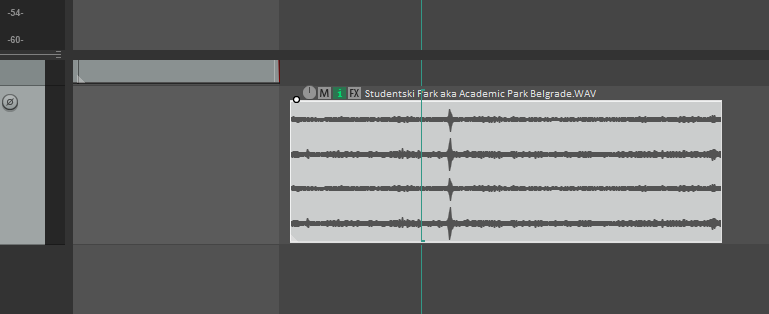
If you are importing a mutifile WAV file into Reaper from something like a Sound Devices MixPre-3 recorder you might end up with in my case here, my four channels of audio contained within 1 item.
Item with 4 channels
In this example I only need to work with channels 3 & 4 in stereo, and to make it easy to edit I want them combined together as one item on one track.
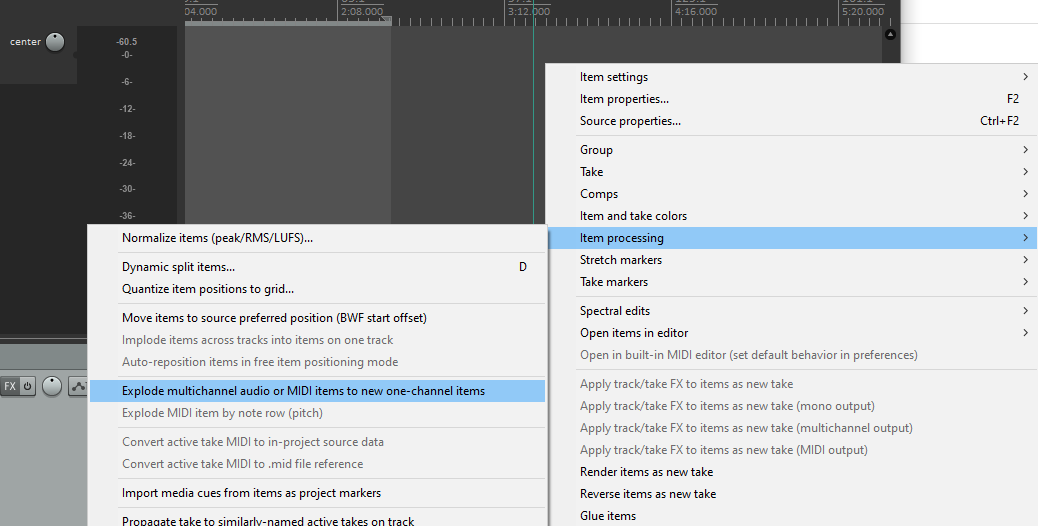
To do this I’m going to select my 4 channel item, right click and look for: ITEM PROCESSING / EXPLODE MULTICHANNEL AUDIO….
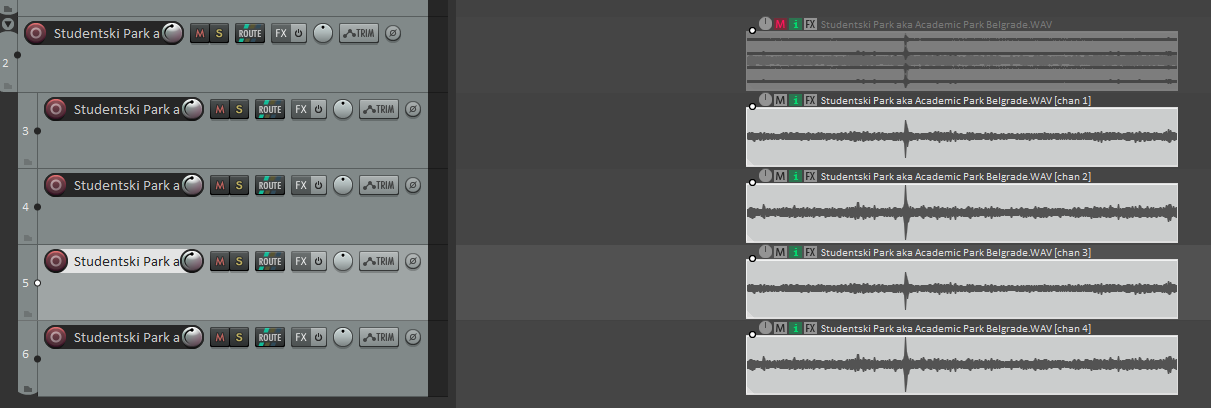
This will create a folder track and 4 separate child tracks – one for each channel.
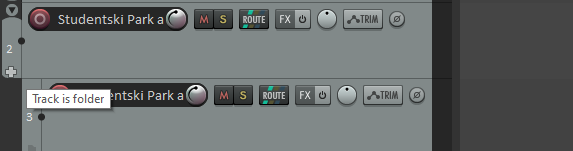
I don’t need the folder track structure, so at the bottom of the folder track itself there is a ‘cross’ – click it to remove the folder structure.
Then delete the folder track plus the first 2 tracks, leaving 2 tracks with channel 3 & 4 containing the L & R portions of my stereo recording.
To make these into one stereo track, select both items, right click and find ITEM PROCESSING AGAIN and this time look for IMPLODE ITEMS ACROSS TRACKS INTO ITEMS ON ONE TRACK. IMPORTANT! Both Items are now on top of each so under OPTIONS (Main Menu) select:
OFFSET OVERLAPPING MEDIA ITEMS VERTICALLY
Both items are on one track but as separate ‘lanes’ and both are panned to the centre. So double click on the top channel 3 item and pan it hard left, apply. Then d.click the lower channel 4 item and pan hard right. We’re now in stereo. Lastly select the items (d.click the track header) and glue them together. Right click and look for the Glue option.
The revolutionary Voice Convert tool applies a pre-generated voice model to an existing voice recording, retaining its inflections, pitch variation, and emotion. Improve your own voice if recorded in a noisy environment, or create perfect ADR using the original actor’s own voice.
Presented by AI Female Voice No 2 from Davinci Resolve
Vocals by Jonathan Slatter with male voice choir and piano accompaniment 00:10
The Lyrics by Sarah Fuller Flower Adams 1805 – 1848 The Melody – ‘Bethany’ by Lowell Mason 1792 – 1872 Vocalist: Jonathan Slatter Piano and Choir Arranagement: Jonathan Slatter
Verse 1 Nearer, my God, to Thee, nearer to Thee! E’en though it be a cross that raiseth me; Still all my song shall be nearer, my God, to Thee, Chorus: Nearer, my God, to Thee, nearer to Thee!
Verse 2 Though like the wanderer, the sun gone down, Darkness be over me, my rest a stone; Yet in my dreams I’d be nearer, my God, to Thee, Nearer, my God, to Thee, nearer to Thee!
Verse 3 There let the way appear steps unto heav’n; All that Thou sendest me in mercy giv’n; Angels to beckon me nearer, my God, to Thee, Nearer, my God, to Thee, nearer to Thee!
Verse 4 Then with my waking thoughts bright with Thy praise, Out of my stony griefs Bethel I’ll raise; So by my woes to be nearer, my God, to Thee, Nearer, my God, to Thee, nearer to Thee!
Verse 5 Or if on joyful wing, cleaving the sky, Sun, moon, and stars forgot, upwards I fly, Still all my song shall be, nearer, my God, to Thee, Nearer, my God, to Thee, nearer to Thee!
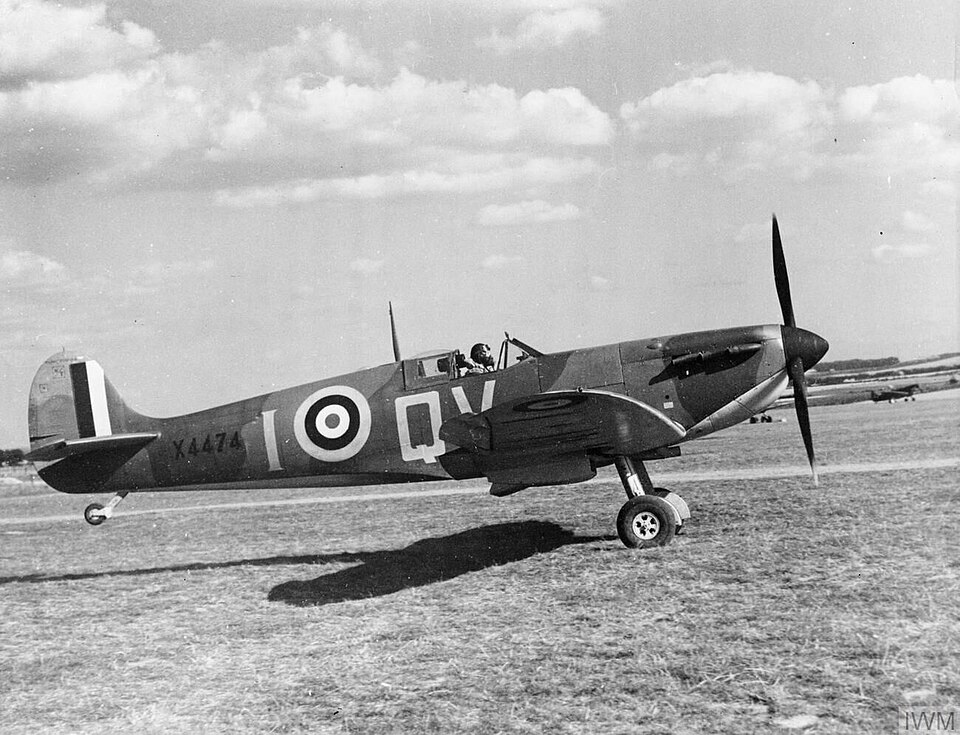
Aircraft of the Royal Air Force, 1939-1945- Supermarine Spitfire Public Domain.Wikipedia Commons. Stanley Arthur Devon (1907–1995) Royal Air Force official photographer
15 September — Battle of Britain Day
Today we honour “the Few” — the brave RAF pilots and crews who stood firm in the skies during the Battle of Britain.
On this day in 1940, they turned back the Nazi Luftwaffe’s relentless attacks, halting Hitler’s plans to invade Britain and changing the course of history.
“Never in the field of human conflict was so much owed by so many to so few.” — Winston Churchill, 1940
We will never forget their courage, sacrifice, and unwavering resolve.
Sound recording was made circa 1996 by Jonathan Slatter nr Farnborough Air Show using a Portadat Recorder and an M-S microphone configuration using Sennheiser MKH30 / MKH40. Decoded and mastered in SADiE.
Picture is Public Domain: X4474, a late production Mk I Spitfire of 19 Squadron, September 1940. During the battle 19 Squadron was part of the Duxford Wing. Stanley Arthur Devon (1907–1995) wikidata:Q112244814 Royal Air Force official photographer.
We use cookies to ensure that we give you the best experience on our website. If you continue to use this site we will assume that you are happy with it.